Batch processing
Once the models have been set up and trained to a point where they work well, you can batch-process any amount of tomograms you'd like.
By cropping tomograms and limiting the depth range of interest (see image below), the processing speed can be increased significantly.
Note
Cropping does not affect the size of the output. Segmentation .mrc files always have data with the same shape as the original input tomogram. This ensures that pixel locations are not shifted between tomogram and segmentation.
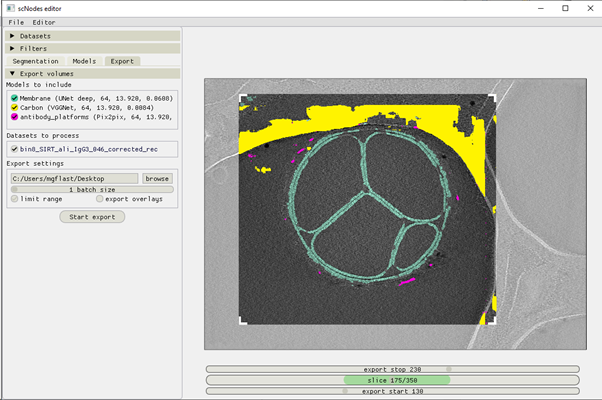
An export job can always be cancelled by pressing the 'x' button next to the progress bar that appears when launching the job.